
Create your free national park trip.
Choose a park, create a free trip, and keep your saved stops together as you plan. Add Chimani+ when you need offline maps or an available audio tour.
Creating and saving your trip is free. Chimani+ adds offline maps and audio tours where available.
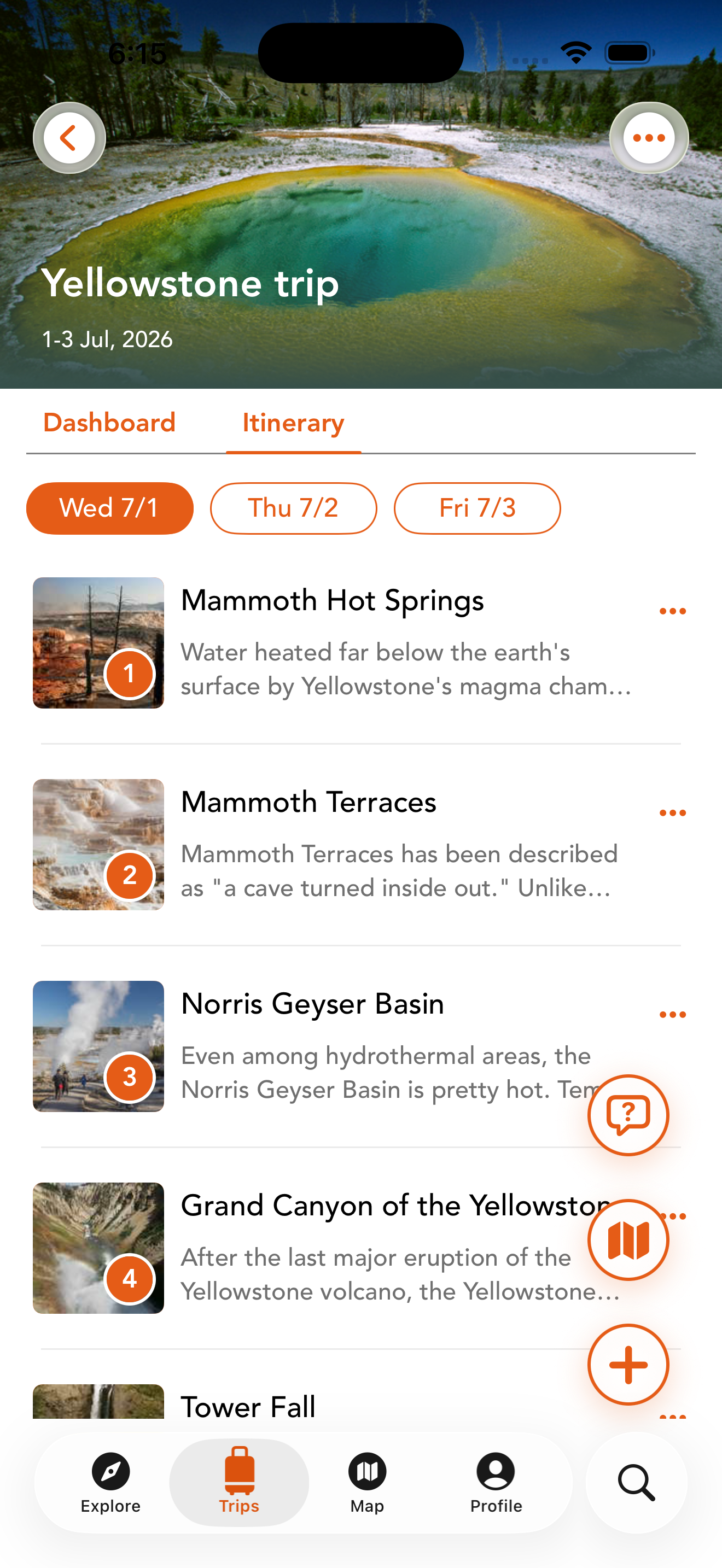
What a better park planner actually solves
The hard part is rarely finding one scenic stop. It is connecting timing, distance, alerts, and what your group can realistically do in a day.
Turn a wish list into a route
Save trailheads, overlooks, visitor centers, and key stops so the day has an order instead of a pile of tabs.
Keep conditions in the same place
Closures, alerts, and changing conditions matter more when they are next to the plan, not hidden in a different app.
Carry the plan into the park
Trip context is most useful after you leave service, not before. That is why offline access and GPS Audio Tours matter.
How Chimani trip planning works
It is built for the way park travelers actually move through planning, driving, arriving, and adjusting once the day changes.
Start with the stops that matter
Pull together the viewpoints, hikes, and park stops you actually care about into one plan.
Keep the day practical
Use the plan to decide what comes first, what can slide, and what is not worth forcing into the schedule.
Keep the itinerary with you
When you are on the road or already in the park, your saved trip stays organized instead of turning into guesswork.
Add offline maps and available audio tours with Chimani+.
Start by creating a free trip in the app. If you need offline maps or an available audio tour, review the Premium features and current subscription terms before choosing a plan.
Trip planner FAQ
The questions people ask when they want more than a generic list of things to do.
Is this only for long trips?
No. Chimani is useful for a single park day, a weekend, or a longer road trip where you need the route logic to stay coherent.
Does creating a trip require a subscription?
No. Creating and saving your trip is free. Chimani+ adds offline maps and audio tours where available.
Can I still use it once I am in the park?
Yes. Chimani+ includes offline access and GPS Audio Tours so the trip stays useful even after your connection becomes unreliable.
Where do I go next?
Download Chimani using the iOS or Android link above, choose a park, and create your free trip. The Chimani+ page explains optional Premium features.
Also explore
Trip planning gets stronger when it connects to conditions, assistance, offline access, and GPS Audio Tours.