
Practical park answers before small questions become trip friction.
ParklyTM helps with the questions people actually ask before and during a park trip, like what to prioritize, where the useful stops are, and how to move through the day with less guesswork.
Unlimited ParklyTM questions and offline ParklyTM access are part of Chimani+.
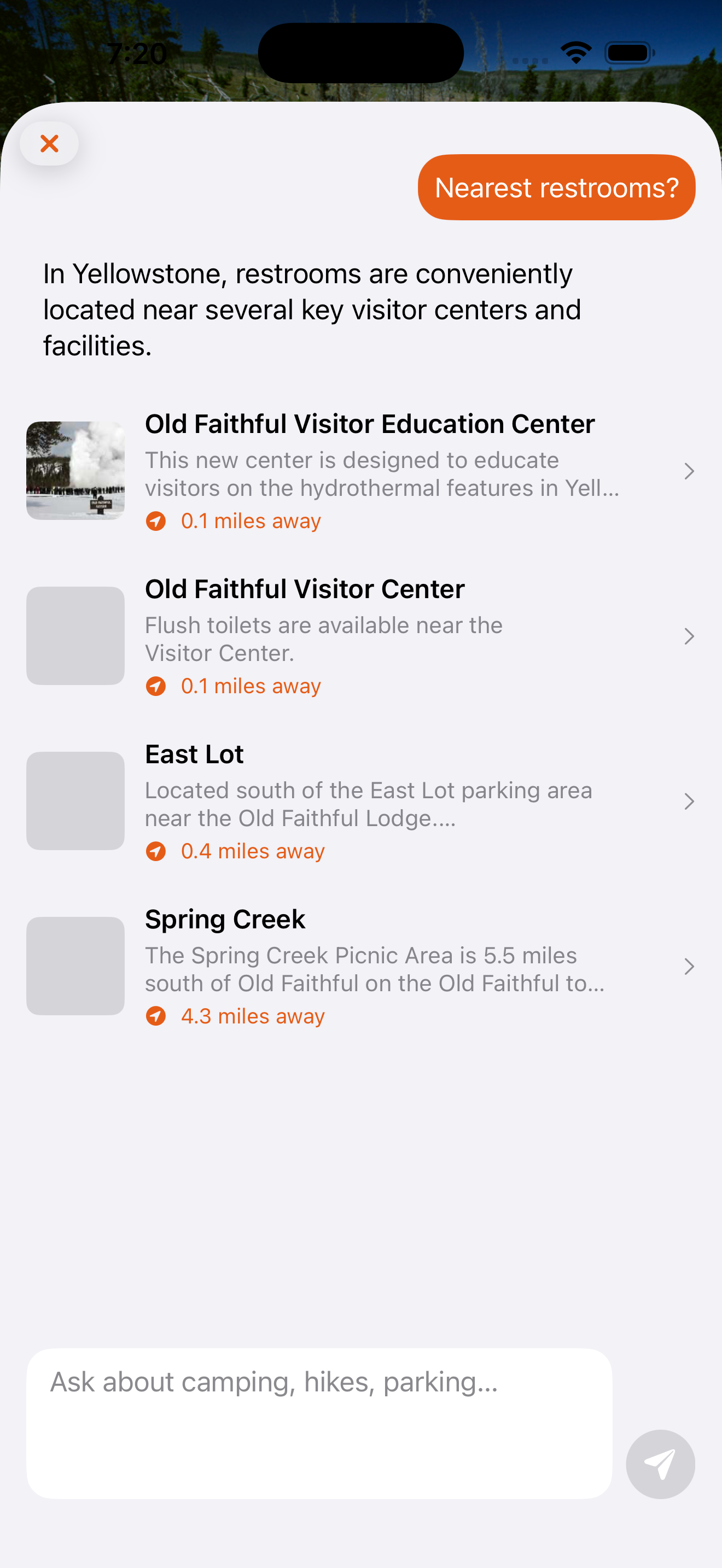
What ParklyTM is good at
It is not there to be clever. It is there to get you to the next useful answer faster.
Route and timing questions
Use it to think through what to prioritize, what fits in the day, and how to avoid turning one stop into a time sink.
Facilities and practical stops
Nearby restrooms, easy stops, and other practical details matter more than generic inspiration once you are already in motion.
Trip decisions on the fly
Park days change. ParklyTM helps you adjust without having to rebuild the whole day from scratch.
How ParklyTM fits into the trip
It works best when you think of it as practical trip support alongside your maps, guides, and saved itinerary.
Start with the decision you need
Ask about nearby facilities, what to prioritize, kid-friendly options, or where to focus next.
Use the answer inside your plan
ParklyTM is strongest when it helps you act on your actual trip, not when it lives outside the rest of your planning.
Carry the help into the park
Chimani+ includes offline ParklyTM access so the trip support still matters after service gets weak.
Chimani+ unlocks unlimited ParklyTM help and offline ParklyTM access.
If ParklyTM is the feature you are evaluating, the subscription page is the key next step because that is where the plan difference is explained clearly.
ParklyTM FAQ
The practical questions people ask before deciding whether this is genuinely useful in the park.
Is ParklyTM only for national parks?
No. It is designed around park travel more broadly, including the kinds of practical planning questions that come up across Chimani’s guides.
Does ParklyTM replace the guides?
No. It works alongside the guides, maps, and itinerary tools. The point is to make those assets more useful in the moment.
Can I use it offline?
Offline ParklyTM access is included with Chimani+ so the help does not disappear exactly when you need it most.
Where do I go next?
See the Chimani+ page if you want pricing, feature comparison, and checkout.
Also explore
ParklyTM is most useful when it is grounded in the rest of your trip context.